Framer Convert, shipped Nov 3
Ask Framer to split-test the page, then ask which half won
Framer's Convert update lets the Framer Agent create, edit and analyze funnels and A/B tests from a prompt. New country triggers show an overlay only to visitors in a chosen country or region.
The Split Beam Program
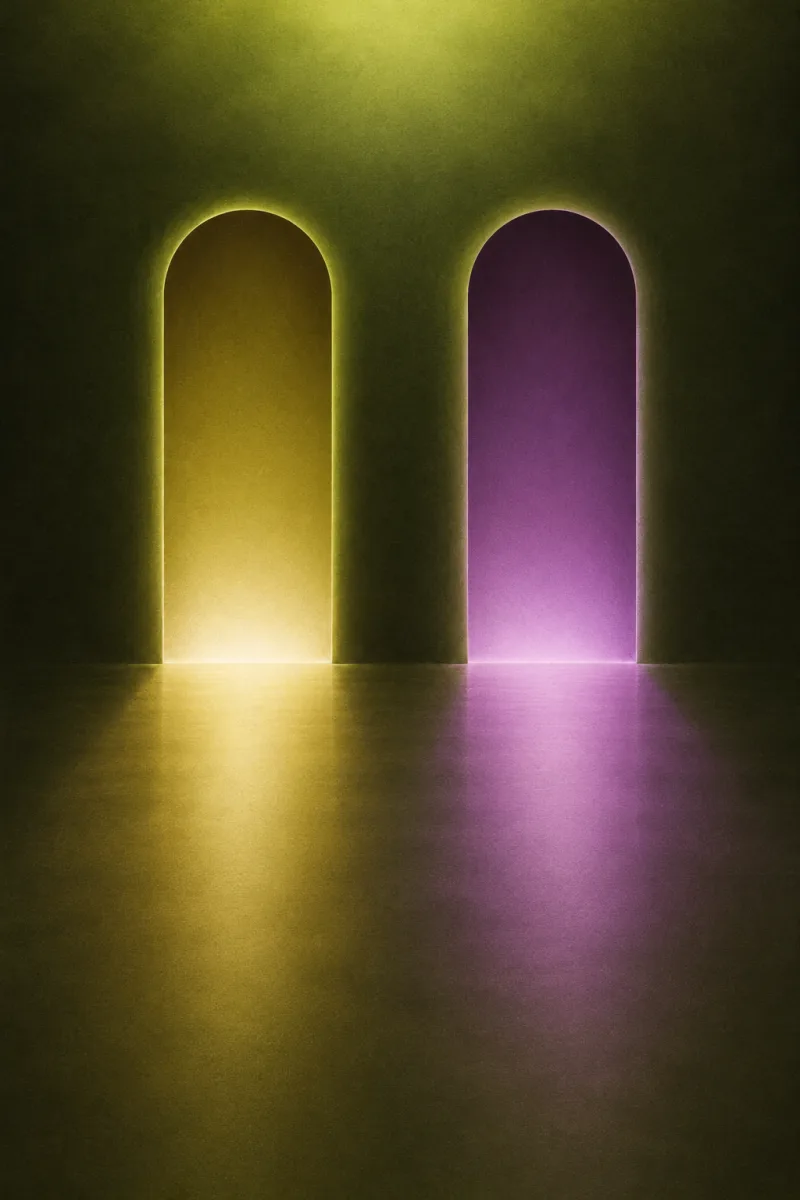
An event landing page lit like an airbrushed tour poster: one horizon, two beams, every section on the clock.
Event pages sell a time and a place, so the program is the navigation here: each section opens on a timestamp a reader can scan before committing to the page. Airbrush was the medium of the arena poster and the travel bureau, soft overspray and no outlines, which keeps a vivid olive page warm instead of loud. Violet is spent only where something splits: the B beam, the B doorway, the variant in the demo.
Framer's agent now builds the test and reads the result
Framer's Convert update hands its conversion tools to the Framer Agent. You can ask it to create, edit and analyze funnels and A/B tests, and to add or change the triggers that decide when an overlay appears.
The second half is targeting. Country-based triggers show an overlay by the visitor's country or region, and Framer's own example is a banner for an event in Barcelona shown to visitors in Spain. It sits neatly beside Monday's per-page locale controls, which decide what each market can see in the first place.
The variant, the trigger and the read-out now start from the same prompt box.
For a freelancer, that moves testing from a handoff into the build. The useful habit is to write the hypothesis before the prompt, so the agent is measuring a question you asked rather than one it chose.
- Ships in
- Framer Convert
- Agent can
- Create, edit and analyze funnels and A/B tests
- Triggers
- Added and edited by prompt; new country or region targeting
- Framer's example
- A Barcelona event banner for visitors in Spain
- Plans
- None listed in the update
Tailwind 4.3.4 stops reading a viewport font size as a color
The v4.3.4 release is a patch, but one fix lands on type: an arbitrary class like text-[10dvmin] now emits a font size, where before it came out as a color.
The rest tidies the class canonicalizer. A max-width variant written as max-[64rem] now resolves to max-lg, and malformed modifiers such as rounded-sm/[5] no longer generate utilities at all. If a fluid headline lost its size without warning, this is the release to pull.
<!-- v4.3.4: this now sets font-size -->
<h1 class="text-[10dvmin] leading-none">
  Barcelona, 19:00
</h1>
Two smaller changes to plan around this month
Lovable opens the page you ask about
In Lovable, asking Chats to show a page from one of your projects now opens that project's preview at that page, beside the conversation. Reviewing a long site no longer means clicking down through the preview to find the screen in question.
Chrome 158 stops running XSLT on November 17
Chrome's removal timeline puts the end of XSLT in version 158, due on Stable on November 17, 2026, apart from an origin trial and an enterprise policy that run to Chrome 176. A sitemap or feed dressed with an XSL transform will show raw XML; a plain CSS stylesheet attached to the XML keeps working.
One notice slot, chosen by region, that says why it is there
Give a landing page a single regional notice slot directly under the hero instead of a pop-up. Fill it from one rule per country, leave the default empty, and put a short reason inside the notice so a reader never wonders why the page changed. When the notice carries a time, keep the event's own time zone and add the reader's local time beside it, never in place of it.
- One slot, one message. If two rules match, the more specific one wins.
- The default is an empty slot, never a generic banner.
- The notice never covers the main button, and it closes for the session.
- Say why it is showing, in plain words, inside the notice.
No rule matches, so the slot stays empty and the page is unchanged.
An example page. Times come from one stored value, converted with the browser's own date formatting.
<section class="notice" data-rule="ES" hidden>
  <p>Barcelona session, 19:00 local time.</p>
  <small>Shown to visitors in Spain</small>
</section>
/* one slot under the hero, never over the button */
.notice{margin:0;padding:14px 16px;background:#D9E36A}
.notice[hidden]{display:none}
Take the page home
Session handout: event landing page, airbrushed poster treatment
Build a one-page event landing page for [event name], a talk, launch or meetup in [city]. Treat it as a real event page a client would pay for, with the visual treatment of a 1980s airbrushed tour poster.

Hero: a full-bleed airbrushed illustration as the ground (a dusk horizon with two soft beams of light splitting from one point, olive gold and plum violet), with a dark olive scrim on the left third strong enough to hold cream text at WCAG AA. Left: a small chartreuse label with the date, a large high-contrast serif headline (max 13 characters per line), a two-sentence deck, one violet button and one text link. Right: a lanyard pass hanging from the top edge (a striped violet strap, a clip, a cream card tilted -3 degrees) that holds the event name, number, date and duration as a small labelled list. On phones the pass sits flat above the headline.

Directly under the hero, overlapping it, a cream "program" strip: one row of linked blocks whose widths follow each session's length. Each block has a violet mono timestamp label, a small uppercase track name and the session title. The timestamps are the page's section markers: every section below opens with the same violet time label, a mono track name and a right-aligned source line, then a serif h2.

Sections sit on one cream sheet over a vivid olive ground woven with a fine ink basketweave pattern (alternating 12px squares of horizontal and vertical 1px lines at about 11 percent). Use two-column session rows (a 680px reading column and a 300px aside for a portrait image and a labelled facts list), one italic pullquote under a 2px violet rule, and a dark ink "design move" panel.

Add one regional notice slot directly under the hero, not a pop-up: one rule per country, an empty default, a plain "Shown to visitors in [country]" reason inside it, and times shown in the event's zone with the reader's local time beside it.

Palette: olive ground #93A033, cream sheet #F2F0DE, deep olive ink #1D2109, plum violet accent #6E2F94, chartreuse highlight #D9E36A. Type: Gloock for display, Figtree for body and controls, Sometype Mono for times, labels and code.

Guardrails: body text at least 18px with 1.65 line height and lines under 75 characters; small labels at WCAG AA against their real background; no fake readable text inside images; no neon glow, no purple-blue gradients, no gradient text; radius 8-12px on cards and 4px on labels, not pills; hover and focus states at about 150ms with a reduced-motion guard; one restrained motion only (the pass swinging once on load).
Works in Framer, Beaver Builder AI, Lovable, v0 and Claude Code.
Field note
Conversion work was the part of the site a designer usually handed off. A test that starts from a prompt is a good reason to stay for the result.
| Title | Publisher | Date |
|---|---|---|
| Convert Update | Framer | Nov 3, 2026 |
| Release v4.3.4 | Tailwind Labs | Nov 2, 2026 |
| Open a page of your app from Chats | Lovable | Oct 31, 2026 |
| Removing XSLT for a more secure browser | Chrome for Developers | Removal Nov 17, 2026 |