NO. 187LatestReleased Thursday 19 November 2026, a 5 minute read
Onlook's Mac app gives designers a copy of the repo to break
Onlook 2.0 runs your codebase on a design canvas, with Claude Code or ChatGPT doing the edits on a separate branch. The original folder never changes until a pull request merges.
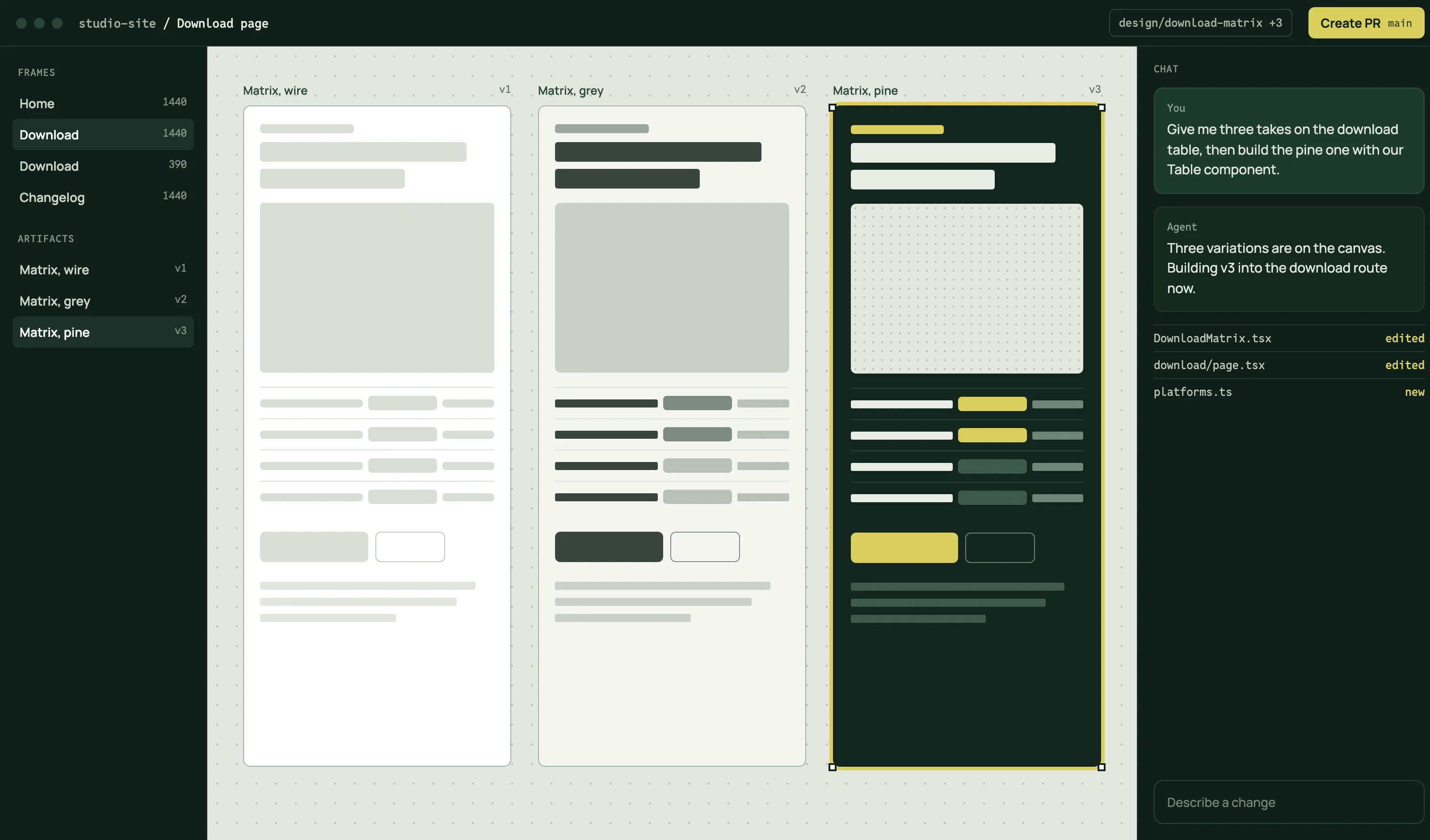
A desktop app download page on pine green, with citron status chips and the platform matrix docked under a captured canvas window.
The page is built like the download page a client would ship for a Mac app. A release tag replaces the masthead, the hero ends in a real table of platforms and their status, and the section openers are status chips that track one branch from local work to merged. Manrope carries display and body at different weights; Reddit Mono handles every label, tag and table header.
platform matrix
release tag
status chip
docked table
release assets
plus-mark field
canvas capture
Pine#12261F ground
Mist#E9ECE4 text
Citron#D9CF5C accent
Mint#B9D8B0 supported
Canvas#E3E7DF capture
Branch created02, 2 min
Onlook 2.0 moves the canvas onto your Mac
Onlook, the open-source editor for designers who work in real code, shipped its 2.0 desktop app on GitHub this morning. It runs your team's codebase on a canvas, and Claude Code or ChatGPT changes the code when you ask, on the subscription you already pay for.
The detail that matters to anyone handing a designer the repo is where those edits land. Adding a codebase makes a separate copy as a git worktree on its own branch, and per Onlook's code safety page the agent refuses to run anywhere else. If the copy cannot be made, Onlook stops instead of falling back to your folder.
Onlook never edits, moves or commits the files in the folder you chose.Onlook documentation, How Onlook keeps your code safe
With Claude connected, pushes, pull requests and merges each wait for an Approve card in the chat, in every permission mode. ChatGPT runs with full access and skips those prompts, though it still works only inside the copy.
It is the second tool this week to end a design session at a pull request, after Google's Stitch Loop, and this one runs on the designer's own machine. The old browser editor for Next.js and Tailwind now lives on a separate v1 branch.
Price
Free; usage counts toward your own AI plan
Licence
Apache 2.0, source on GitHub
Agents
Claude Code and Codex, more listed as coming
Works with
Next.js, React, Vite, Storybook, shadcn/ui
Edits happen in
A worktree copy on its own branch
Source build
No Onlook account, cloud keys or env file
Changes pushed03, 1 min
Ask for a variation, never a duplicate
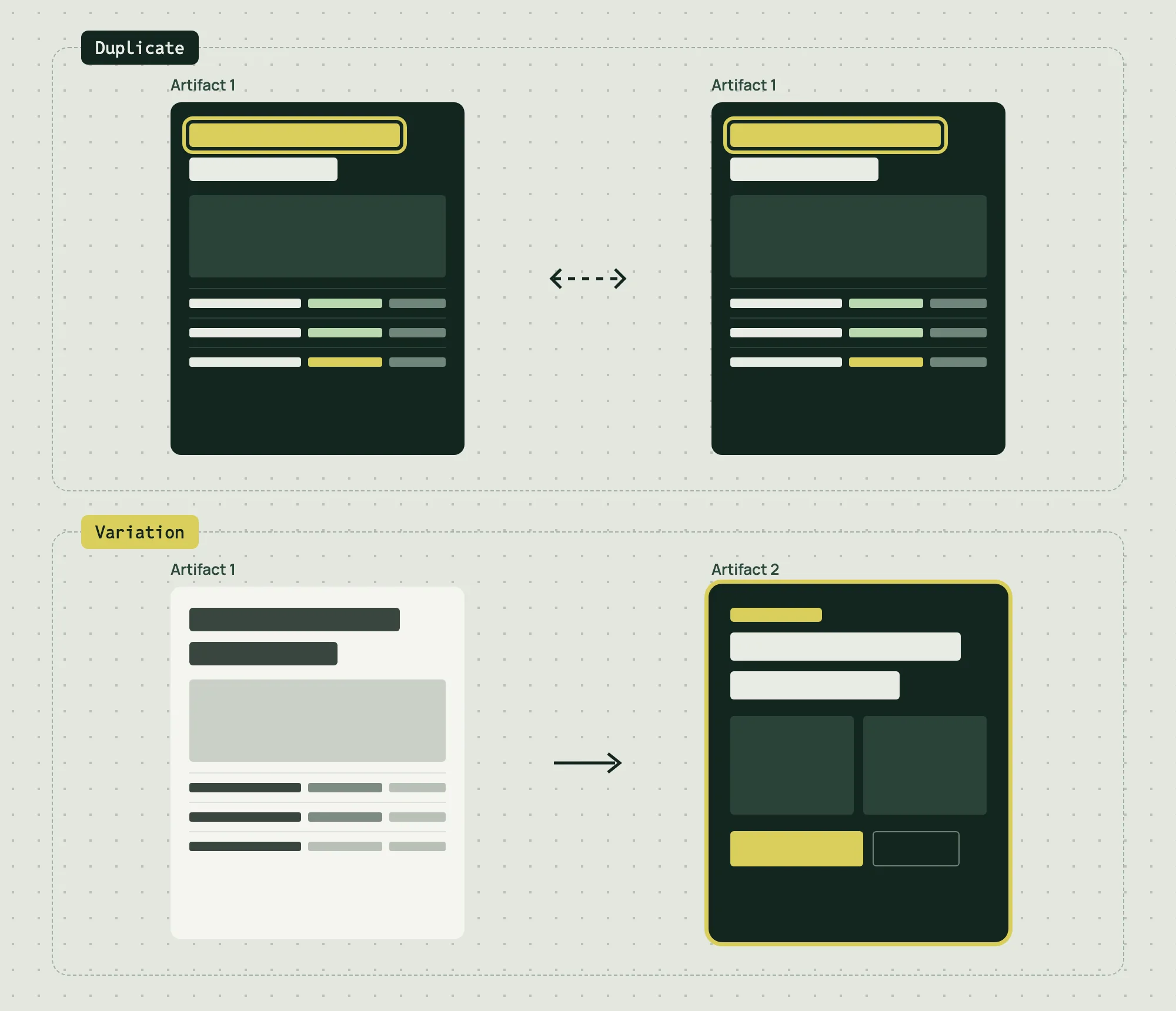
Onlook's artifacts are pages, screens or components the agent draws on the canvas beside your app's frames. Duplicating one places the same artifact again, so an edit shows up everywhere it sits. To branch an idea, ask for a variation, which makes an independent copy next to the original.
Artifacts keep no version history, so the variation is also your undo. When one is right, Build in this project fills the chat with a request to rebuild it from your existing components, and the artifact stays as drawn. It can also export as HTML, PDF, PNG or JPEG.
Duplicate places one artifact twice, so an edit shows in both. Variation makes a second artifact and leaves the first alone.
Checks running04, 1 min
One pill names the next step
The git status pill in Onlook's top bar shows where a change stands and labels what comes next. Pressing it sends the agent a request, such as opening a pull request against main, and you watch it work in the chat.
The pill says
What it means
Pressing it
Create PR
Your branch has no pull request yet
The agent opens one against main
Checks Running
Your repo's automated checks are running
Nothing; wait for them
Fix Checks
Checks failed
The agent reads the failures and fixes them
Resolve Conflicts
Main changed the same code you did
The agent updates from main and resolves them
Ready to Merge
Checks passed
Opens the pull request on GitHub
Merged
Your change is in the codebase
Nothing; you are done
On a team, the docs advise keeping Create PR as the default over Push to Main, which leaves the merge with whoever usually merges, often an engineer.
Review requested05, 1 min
Lovable now builds in a draft when Claude asks
Since November 17, ChatGPT or Claude connected to the Lovable MCP server can create a draft of a project and build in it. Code changes stay in the draft until you accept it, in Lovable or by asking the client, and draft building is billed as standard build usage.
A day earlier, Lovable gave drafts on its built-in backend a database of their own, filled with example data. A new form field can be tested in the draft without touching the live app, and accepting the draft applies the change before you publish.
1Claude or ChatGPT opens a draft through the MCP server
2It builds there against example data
3You accept the draft in Lovable or from the client
4The change reaches the live database, then you publish
Approved06, 1 min
Borrow this pattern: the platform matrix as the hero
On a download page, end the hero in a real table: one row per platform and chip, a plain status word, what the visitor also needs, and the action in that same row. Someone on Windows learns the answer before clicking anything, and the waitlist sits exactly where the download would.
Status is a word first and a color second.
Every row gets an action, even if it is a waitlist.
Pre-select the visitor's row only when you truly know it; otherwise let them pick.
Download for MacJoin the waitlist
Status: Supported on macOS 13 or laterPlanned, not shipped yetNot yet supported
Ready to merge07, 2 min
Prompt Lab
Assetsrelease-page-prompt.txtPlain text
Build a download landing page for a desktop app, as a real page a client would ship: what the app does, which machines it runs on, how to get it, and release notes.

Ground and palette: a deep cool pine green ground (#12261F) with a faint field of 8px plus marks in mist at about 7 percent opacity on a 32px pitch. Raised panels in a lighter pine (#183229) with 1px #2B4339 borders. Mist (#E9ECE4) for text, citron (#D9CF5C) as the single loud accent for buttons and the active rule, mint (#B9D8B0) for "Supported" status, a pale canvas grey (#E3E7DF) only inside screenshots. No neon, no glow, no cyan, no gradients.

Type: Manrope at 800 for the headline and section titles, Manrope at 400 to 500 for body at 19px with 1.7 line height; Reddit Mono for labels, tags, table headers and code. Lines near 65 characters.

Masthead: a release tag row instead of a title block: a bordered tag chip with the version number, a solid citron "Latest" label, and one plain sentence with the release date and reading time.

Above the fold: a two-column row with a 16ch heavy headline on the left and the deck, a citron "Download for Mac" button and a "Read the release notes" text link on the right, aligned to the bottom. Below it, a full-width app window screenshot in a 14px-radius frame, with the platform matrix docked to its lower edge as part of the same frame: a real table with columns Platform, Chip, Status, You also need, Action. Status is a solid filled label (Supported in mint, Planned in citron, Not yet in dark sage) and every row has its own action link (Download or Join waitlist). Caption the screenshot honestly in the table caption. On mobile, crop the window to its right side at 4:5 so the interface stays legible.

Sections: each opens with a full-width hairline row holding a solid status chip that follows a branch's path (Local only, Branch created, Changes pushed, Checks running, Review requested, Approved, Ready to merge, Merged) and a mono section number with reading time on the right, then the section title.

Components: a release-notes reading column with one italic pullquote under a 2px citron rule beside a sticky ruled facts list; a state table where each row is a status label, its meaning and what the button does; a numbered flow card; a design move card with a live platform picker (radio inputs and :has()) that swaps the download button for a waitlist button and prints the status line; the prompt itself as a release asset row with a file name and copy button.

Mobile: the hero stacks, the matrix rows become stacked cards with labelled cells, tables stack, and every two-column block becomes one column.

Guardrails: body text never under 18px, WCAG AA contrast on every label against its real surface, real hover and focus states with 150ms easing, a prefers-reduced-motion guard, radius 12 to 14px on panels and 5 to 8px on chips, no pill shapes, no left accent stripes, no fake search or toggles, no fake readable text in images.
Onlook's real product may be the worktree: a designer gets a full copy of the codebase to break, and the original never notices. Whether engineers will trust a pill that opens its own pull requests is something no release note can settle.