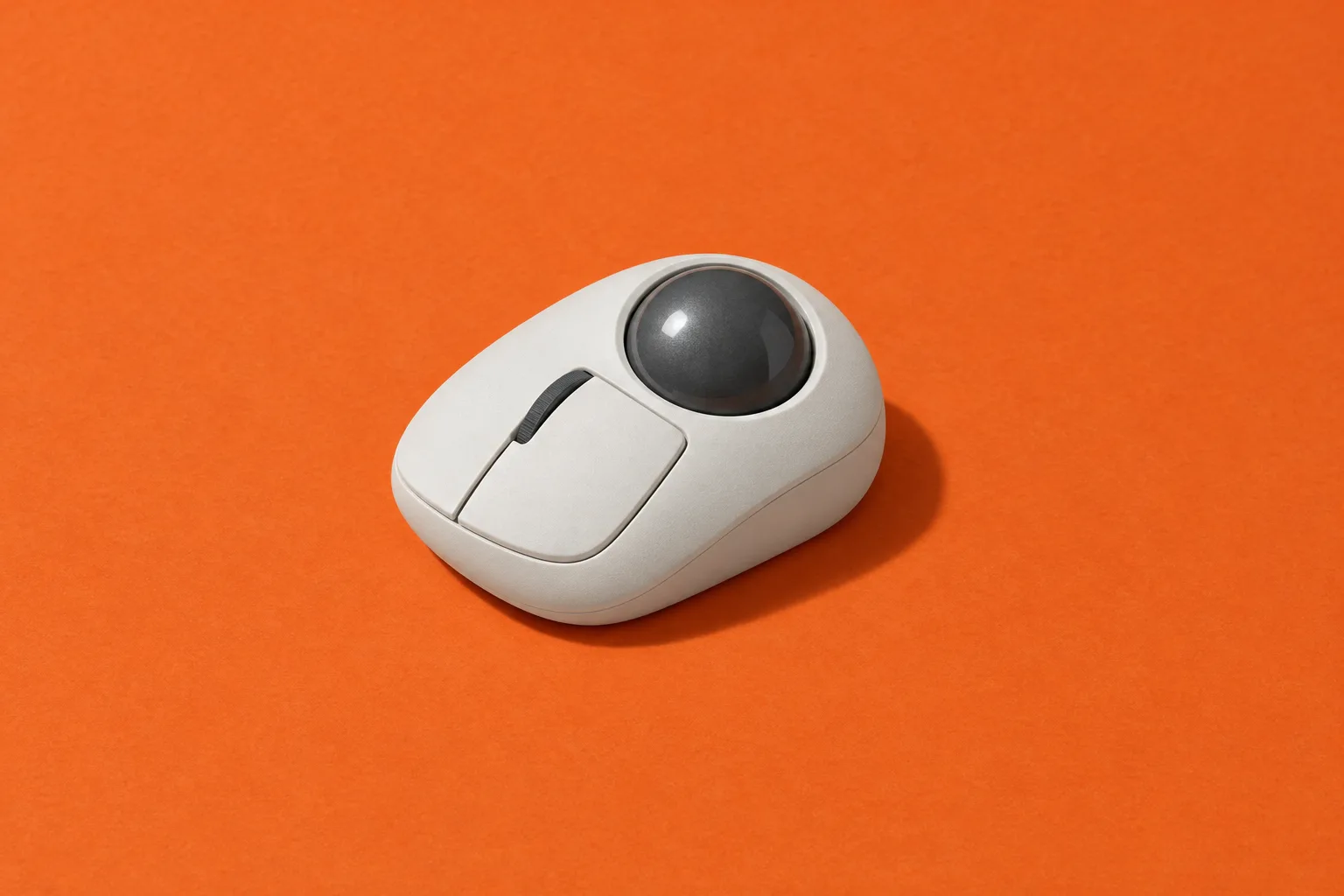
Try itMove the cursor across the photo and it turns. Today a few lines of script hand the position to CSS; the new draft would let CSS read it directly.
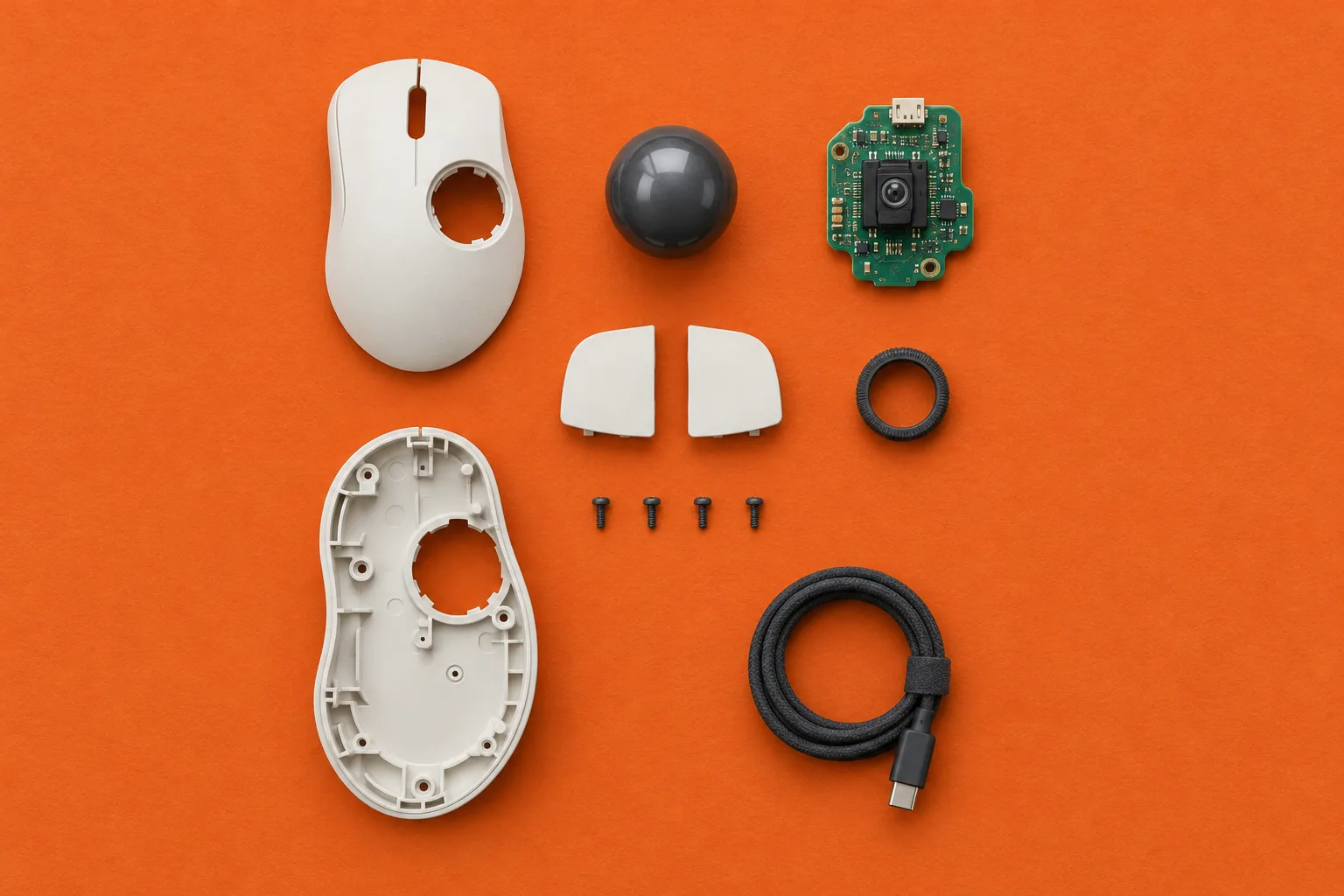
What's in the box
Six parts, six sections. Every numbered pin jumps to the part of the issue it stands for.
01
02
03
04
05
06
- 01BallPointer timelines
The W3C's first draft of animations driven by the cursor.
- 02Scroll ringPaused GIFs
One inherited property to stop animated images.
- 03ButtonsLink prompts
tldraw 5.6.2 asks before a canvas link opens an app.
- 04Top shellHDR limits
Constrain the grid, let the hero photo run bright.
- 05SensorLet the cursor turn it
The pattern to borrow, today and per the draft.
- 06CableThe prompt
Plug this page into your own build tool.
Today's art direction
The Teardown Product Page
A product detail page on persimmon: a sticky buy-box, a photo that turns with the cursor, and an exploded view standing in for the contents.
A direct-to-consumer product page in the Braun catalogue line: one object, shot clean on a paper sweep the same colour as the page, sold by a buy-box that stays pinned while the gallery scrolls. The exploded view does the job a contents list usually does, and every section opens with the same numbered disc as its part. The axis swatches sit where a colour picker would, and they change how the hero photo responds.
- sticky buy-box
- axis swatches
- exploded view
- part pins
- spec table
- cursor tilt
- paper sweep
- wave tile
- Persimmon sweep
#E8621F - Warm ink
#1B120D - Bone panel
#F7F1E8 - Ultramarine pin
#2630A8 - Warm grey rule
#C7BBAE
A timeline that reads the pointer
The W3C published the first public working draft of Pointer-driven Animations Level 1 on 24 November. It adds a pointer timeline: an animation's progress runs from 0 to 100 percent as the cursor crosses an element's box, along the block, inline, x or y axis.
Name one with the pointer-timeline property on the element that tracks the cursor, or use the anonymous pointer() function inside animation-timeline, with root, nearest or self as the source. A new animation-range-center property sets where 50 percent falls, so a tilt can rest at the middle of a card or at an offset you choose.
The range is the element's own box, not the viewport. Every card can be its own stage.
The editor is Yehonatan Daniv of Wix, and the draft extends the same timeline model as the scroll-driven work we covered when one line of CSS learned to stagger a reveal. It does not yet say what happens when the pointer leaves the box or on a touch screen, which is the part to watch.
At a glance
- Progress
- Pointer offset divided by the element's size on the axis
- Transforms
- Ignored when measuring the range
- Sources
- root, nearest, self
- Script
- None needed once browsers ship it
| Property | Takes | Initial |
|---|---|---|
| pointer-timeline-name | none, or a dashed ident | none |
| pointer-timeline-axis | block, inline, x or y | block |
| pointer-timeline | a name plus an optional axis (shorthand) | see longhands |
| pointer() | a source (root, nearest, self) and an axis | self, inline |
| animation-range-center | normal, or a length or percentage, optionally measured on the source or the target | normal |
Freeze every GIF on the page from one rule
A working draft of CSS Image Animation Level 1, dated 16 November and edited by Florian Rivoal, adds an image-animation property with four values. Paused holds whatever frame is on screen, stopped shows the static cover frame if the file has one, and running plays the image with its own timeline per element.
It also adds an :animated-image pseudo-class that matches only images that really move. Because the property inherits, a reduced-motion preference can pause everything at the root and let one chosen loop play.
From the draft, wrapped in a preference
@media
  (prefers-reduced-motion: reduce) {
  :root {
    image-animation: paused;
  }
  .demo-loop img {
    image-animation: normal;
  }
}
tldraw now asks before a link opens an app
tldraw 5.6.2, released 20 November, asks before a link on the canvas opens an app it does not recognise. It also blocks more schemes, smb: and ms-word: among them, and clears existing links that use them.
Teams building whiteboards and AI canvases on the SDK get the controls too: new getLinkOpenPolicy() and openLink() exports and a confirm-open-link event, so the prompt can match their own product.
What changed
- Version
- 5.6.2
- Prompt
- Before opening unrecognised apps
- Blocked
- smb:, ms-word: and more
Keep HDR product shots from outshining the grid
The CSS Color HDR Level 1 draft of 17 November, edited by Chris Lilley, defines dynamic-range-limit. Standard caps the brightest pixel at CSS white, constrained allows a little headroom so HDR and SDR images sit together, and no-limit, the initial value, lets the display go as bright as it can.
For a shop that becomes a working rule: constrain the catalogue grid and let the one hero photo run free. A dynamic-range-limit-mix() function blends the values by percentage when a single tile needs a middle setting.
Draft example, plus a hero line
body {
  dynamic-range-limit: standard;
}
div.photogrid img {
  dynamic-range-limit: constrained;
}
.pdp-hero img {
  dynamic-range-limit: no-limit;
}
Let the cursor turn the product
On a product page, turn the pointer's position over the photo into two numbers between 0 and 1 and spend them on a small rotation, so the object turns while the shopper reads. Use it on one hero image, never on a grid, and keep the turn to about twelve degrees.
- Write the position once, as two custom properties. Every effect reads from them.
- Ease back to rest when the pointer leaves, so the photo never sticks tilted.
- Under reduced motion, skip the transform entirely.
- When pointer timelines ship, swap the script for a named timeline and keep the keyframes.
Today
stage.onpointermove = e => {
  const r = stage.getBoundingClientRect();
  const x = (e.clientX - r.left) / r.width;
  const y = (e.clientY - r.top) / r.height;
  stage.style.setProperty('--px', x);
  stage.style.setProperty('--py', y);
};

.stage img {
  transform:
    rotateY(calc((var(--px, .5) - .5) * 24deg))
    rotateX(calc((.5 - var(--py, .5)) * 16deg));
}
Per the draft
@keyframes turn {
  from { rotate: y -12deg; }
  to   { rotate: y 12deg; }
}
.stage { pointer-timeline: --stage x; }
.stage img {
  animation: turn linear both;
  animation-timeline: --stage;
}
Prompt Lab
Rebuilds this product detail page for any single physical product: the sticky buy-box, the cursor-turned hero, and the exploded view as contents.
Try it in Framer, Lovable, v0, Claude or Beaver Builder AI.
Build a direct-to-consumer product detail page for one physical product (for example a compact trackball). One self-contained responsive HTML file.

Above the fold, a two-column product area. Left: a gallery with one large studio photo of the product on a seamless paper sweep the same colour as the page, inside a 1px ink hairline frame at 12px radius, then a small "Try it" caption, then two square detail crops with mono captions. Right: a 430px buy-box on a bone card that is position: sticky while the gallery scrolls. It holds an SKU line (a solid ink label with the item number, then the date and read time as plain text), a tall condensed headline, a two-sentence deck, an "Axis" group of four real radio buttons styled as square swatches, one primary button plus a text link, and four ruled rows of label and value.

Below the fold: a full-width exploded-view photo of the product's parts laid flat on the same colour, with six numbered HTML pins (real links, placed by percentage over the parts) and a numbered legend whose items link to the page sections. Every section then opens with the matching numbered disc and a mono part label above the heading, so the exploded view works as the table of contents. Include a specification table (stacked labelled rows on phones), code on a warm-ink panel, a full-colour design-move card, a prompt file box with a title bar and copy button, and a two-column close of note and sources.

Interaction: a short script writes the pointer position over the hero photo to --px and --py (0 to 1). The photo rotates at most 12 degrees on Y and 8 on X from those values, scaled 1.12 so no edge shows, and eases back to rest on pointerleave over about 450ms. The Axis radios zero out one axis through :has(). Under prefers-reduced-motion, no rotation.

Palette: persimmon ground #E8621F with a wave tile of 1.5px warm-ink lines at 7 percent opacity on a 64 by 20 pitch; warm ink #1B120D for text; bone #F7F1E8 for reading panels; ultramarine #2630A8 for buttons, pins and the design-move card; warm grey #C7BBAE for rules on bone. Type: Sofia Sans Extra Condensed 800 for display, Commissioner for body, Red Hat Mono for labels and code.

Guardrails: body at least 19px with 1.7 line height; long reading sits on bone panels, not on the orange; reading columns about 680px; small text at WCAG AA against its real surface; no gradients, glows or neon; no fake readable text in photos; hover and focus states at about 150ms; one column below 900px with pins still legible at 320px.
Field note
Scroll timelines taught pages to move while you read them. A pointer timeline asks the harder design question: which one object on the page should notice the reader at all.
Sources
- Pointer-driven Animations Module Level 1, W3C First Public Working Draft, 24 November 2026
- CSS Image Animation Module Level 1, W3C Working Draft, 16 November 2026
- CSS Color HDR Module Level 1, W3C Working Draft, 17 November 2026
- tldraw v5.6.2 release notes, GitHub, 20 November 2026
- One line of CSS now staggers a whole scroll reveal, Art Direction Daily, 22 November 2026