Art Direction Daily / 2 July 2026 / ≈ 5 min

Pick the interface before you pick the model

New writing on AI modality, Figma skills, and codebase consistency all points the same way: the builder loop works better when the page exposes the right surface for the job.

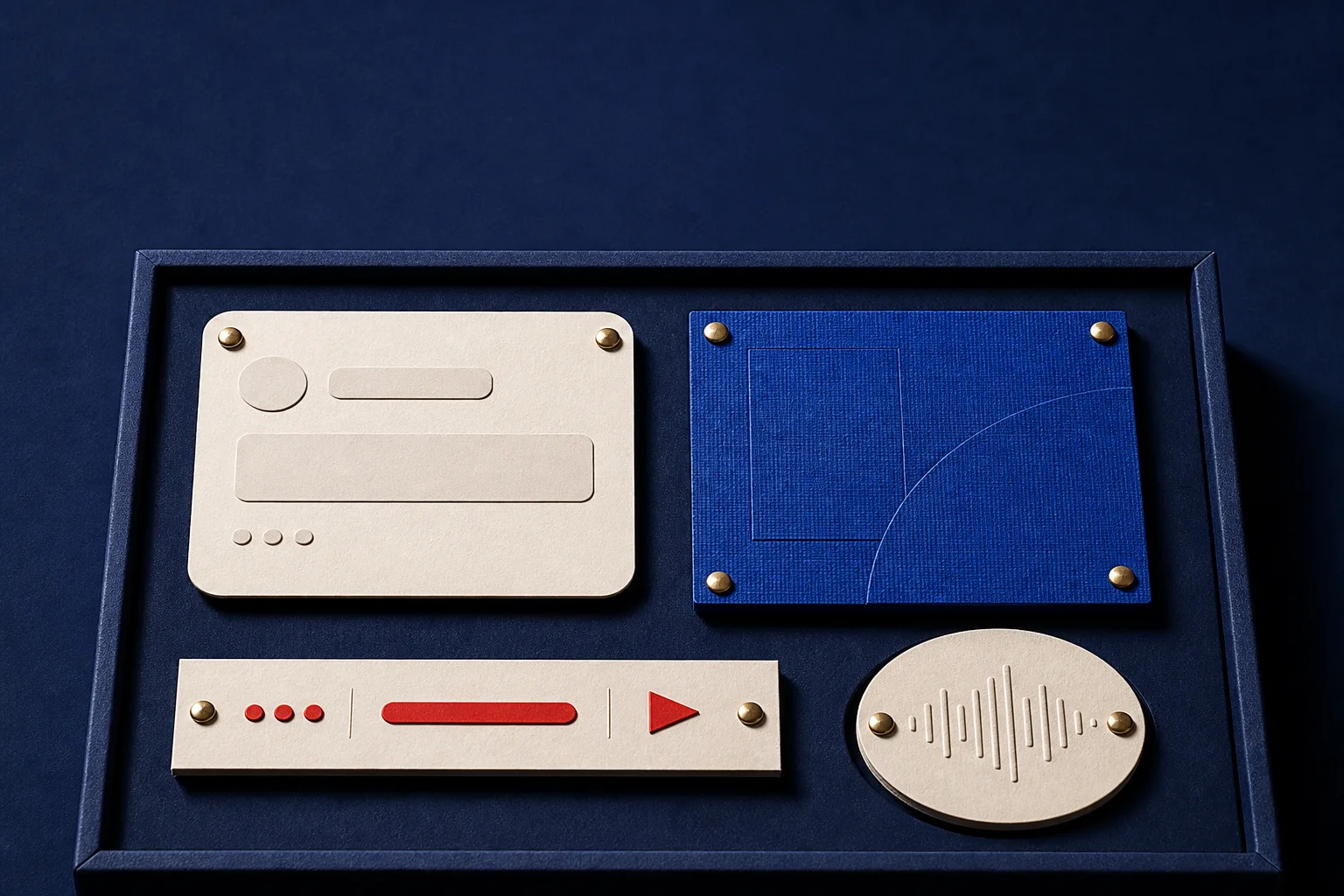
A dark indigo product sample tray with abstract chat, canvas, command, and voice interface pieces.
Generated hero plate: a modality tray with blank interface pieces, brass fasteners, and no readable text.
ChatOpen-ended language tasks
CanvasSpatial editing and review
CommandRepeatable action with logs
VoiceHands-free capture and recall

Today's Art Direction

A fit table for choosing the correct AI surface before a feature goes live.

The visual system borrows from industrial design sample kits, and the pattern worth borrowing is the decision table: each interface mode is judged by task shape, input, review state, and failure risk. The tray image becomes a product surface for comparing modes before the build starts.

Fit tableMode swatchReview stateInput shapeInventory railProduct trayDecision rowInterface route

The actual decision

Intent
Name the user job before the model."Clean up forty product photos," never "add AI."
Input
Text, spatial selection, command, or ambient capture.The input shape usually picks the mode for you.
Review
Show the checkpoint: diff, canvas state, transcript, or log.No visible checkpoint, no user trust.
Route
Turn each swatch into a tab, setup path, or settings card.A mode that cannot become a route is decoration.

Worked example: batch photo cleanup wants a command strip with a before-and-after diff. A chat box can take the order, but the command surface is what makes the job repeatable.

01Tooling

Figma / Manufact / skill search

Figma asks teams to teach its agent with skills

Figma published a fresh guide to skills for its design agent on July 1. The useful detail for web teams is the shape of the handoff: teams can encode naming rules, component behavior, brand rules, and workflow preferences so the agent lands closer to the system already in use.

Manufact launched MCP Cloud on Hacker News the same day, and Skill Federation surfaced as private search across thousands of skills. The pattern is bigger than one vendor: agents are starting to need catalogs rather than prompts alone.

02Technique

Smashing Magazine / Figma accessibility

Match the AI mode to the user's intent

Smashing Magazine's new modality piece is a good corrective to model-first product work. Some tasks want a conversational turn, some want a canvas, some want direct manipulation, and some want a command that can be reviewed.

Figma's July 1 accessibility write-up on building access into a canvas product makes the same point from another angle. Custom surfaces need their own semantics, focus paths, and review states, because the browser does not supply them for free.

03Workflow

Vercel / Enola / dry run checks

Vercel adds a shared rule layer for agents and humans

konsistent is a structural linter for TypeScript codebases, meant to keep implementation conventions visible to both people and agents. Vercel also added dry-run deployments in the CLI, which gives the build loop one more preview step before files leave the machine.

For teams mapping larger systems, Enola appeared with an MCP architecture snapshot server and knowledge graph: a project map an agent can query before it edits anything.

Borrow this pattern

Put the interface fit table in the first viewport. Name each mode by the work it supports, then add the review state a person needs before trusting the result. That makes the component useful in onboarding, settings, feature comparison, or assistant setup flows.

Keep it honest

Do not draw fake controls that do nothing. If this becomes a product page, each swatch should become a real tab, route, or settings card. If it stays editorial, the labels still need to carry real distinctions.

Prompt Lab

Works in Beaver Builder AI, v0, Lovable, Framer, Figma Make
Create a responsive editorial web page using an Interface Fit Table archetype. The above-fold layout has a narrow left inventory rail with issue or product metadata, then a deep indigo product tray hero holding four abstract interface samples: chat card, canvas tile, command strip, and voice token. Use a cool light-gray page ground (#e9edf2), dark indigo tray (#111a2d), ivory specimen cards (#fff5df), cobalt (#284fd6), tomato red (#d8442f), and brushed brass (#bd9652). Pair DM Serif Display for the hero and section heads with IBM Plex Sans for body copy and JetBrains Mono for specimen labels. Add a four-part fit matrix immediately under the hero, then a compact decision table that compares intent, input shape, review state, and route. Fill every table row with real, specific content (a concrete job, a real input shape, a named checkpoint), never placeholder labels, and end the table with one worked example. Mark content sections as specimen cards with a colored marker block, large sample number, source label, linked headline, and one or two readable paragraphs. Keep body text at 19px or larger with line-height above 1.6, avoid fake readable text inside images, avoid neon/glow defaults, avoid dead UI controls, and include real hover/focus states plus a reduced-motion guard.
Field note

The agentic web gains surfaces faster than teams can evaluate them. Which interface makes an action legible, reviewable, and safe enough to repeat: that question outlives any single model pick.

Sources

Primary links, in order of appearance

  1. Got Skills? Make the Figma Agent a Better Collaboratorfigma.com/blog
  2. Manufact MCP Cloudmanufact.com
  3. Skill Federation: private skill search for AI agentsgithub.com
  4. Matching AI Modality To User Intent: Designing The Right Interfacesmashingmagazine.com
  5. Building Accessibility Into a Canvas-Based Productfigma.com/blog
  6. Enforce consistent code for agents and humans with konsistentvercel.com
  7. Dry-run deployments with Vercel CLIvercel.com
  8. Enola MCP Architectural Snapshot Server and Knowledge Graphgithub.com