Nano Banana 2.1 can finally draw an 8:1 image in one piece
Google's update fixes tiling on 4:1 and 8:1 images and sets text more cleanly, and Recraft put it in Studio today. Here is what a page does with a picture that wide.
Ride the routeThe route
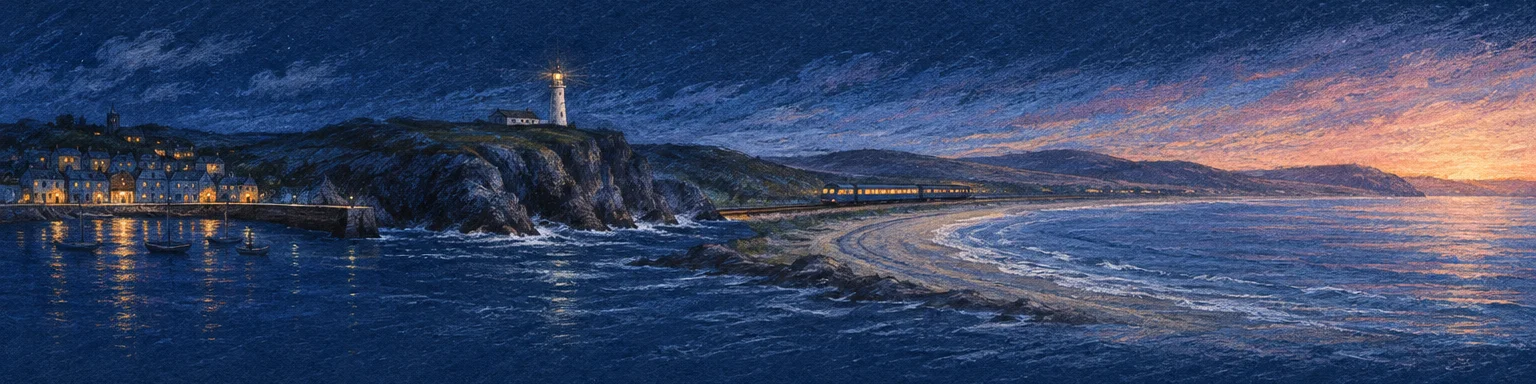
One 4:1 drawing, four stops. Each stop opens a section of this issue; on a phone, swipe along the coast.
Today's Art Direction
The Night Line
A sleeper-train route page in pastel on midnight paper, with a coastline you ride instead of crop.
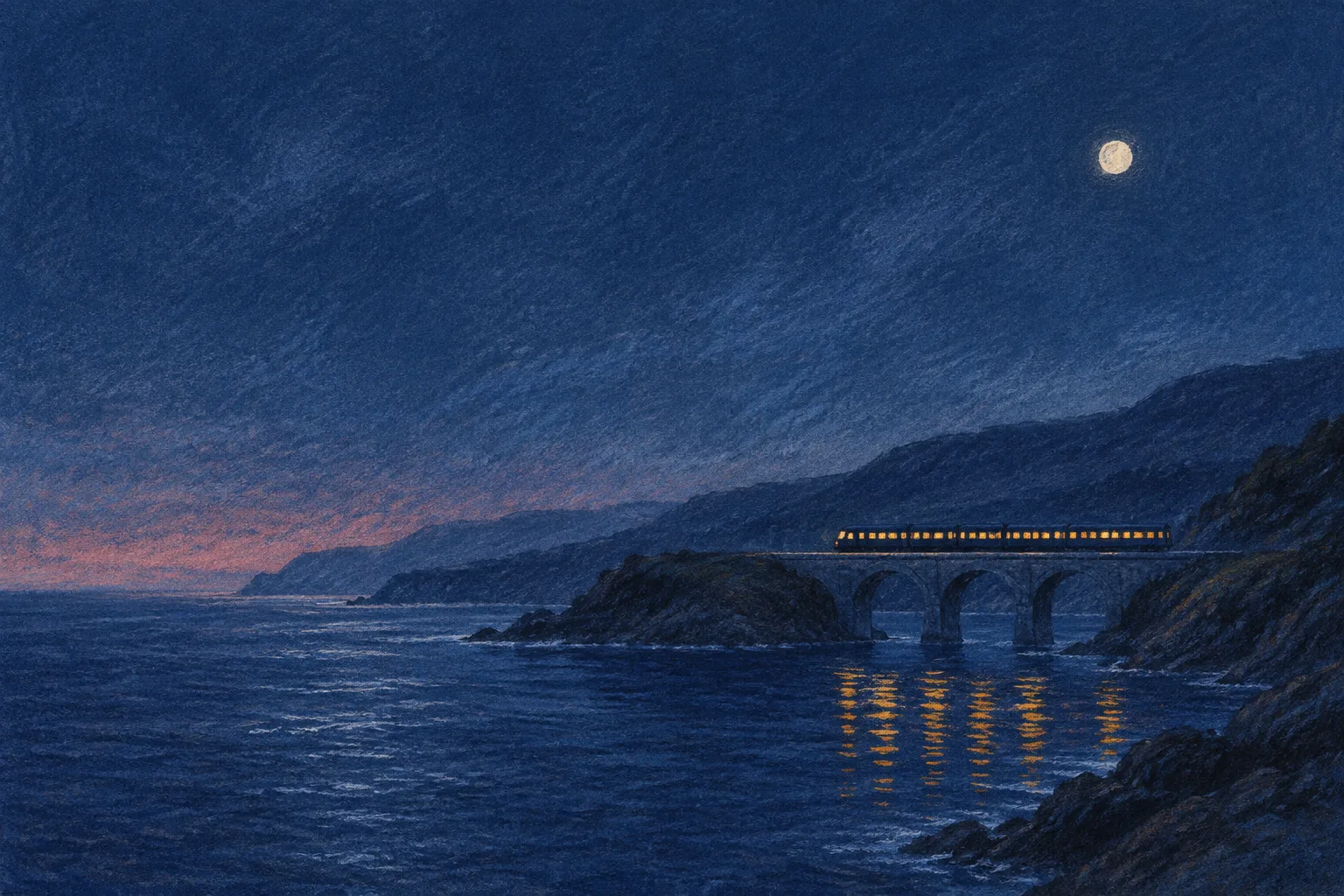
A travel booking page for an overnight rail route, drawn like a night poster on toned blue pastel paper. The panorama does the selling and the navigating: each stop along the coast is a section of the page.
Carriage plates run vertically in the margin, the halftone screen fades the drawing into the ground, and one saffron is kept for the lights, the pins, and the button.
A Flash-tier image model that holds a wide frame
Google shipped Nano Banana 2.1 on October 6
The Gemini API changelog lists it as the latest high-efficiency model for image generation and conversational editing. It updates Nano Banana 2 and keeps the Flash price and speed, with 1K, 2K, and 4K output.
Wide ratios stop tiling
Recraft's notes say the update fixes the tiling artifacts that showed up at 1:4, 4:1, 1:8, and 8:1 at 2K and 4K. Those are the shapes of a hero strip, a section band, or a tall mobile panel, which is where repeated hills and cloned windows used to give a generated image away.
Recraft Studio has it today
Recraft added Nano Banana 2.1 to Studio on October 8, in the model selector only, not the API. Credits run from 5 to 40 depending on the version, and Studio takes up to 10 reference images for now.
Text inside the image
Google's image generation docs pitch the model at legible, stylized type for menus and diagrams, and it can ground a picture in Google Image Search results. Treat that as a first draft for a menu card, not a substitute for live HTML text.
“Legible, stylized text for infographics, menus, diagrams, and marketing assets.”
Gemini API image generation docs
Prompt the image for every crop it will live in
Hold the horizon at one height
The route strip on this page was drawn at 3:2 by gpt-image-2.5 Flare and cut down to 4:1, which only worked because the prompt kept the land in a narrow middle band with plain sky above and water below. A model that renders 8:1 natively retires the crop, but the instruction still decides whether a phone can show any single stop on its own.
Pin the product with references
For a set of wide images that must show the same train, room, or product, the Gemini docs allow up to 10 object references and 4 character references per request. Generate the hero first, then feed it back as a reference for every strip and detail crop.
Let CSS do the travel
A wide strip needs a scroll container on small screens, not a cover crop. The CSS in the panel is most of the route strip at the top of this page.
Figma's agent leaves beta and starts reading your other tools
Connectors and a seat in multiplayer
Figma's October 6 post lists connectors for Amplitude, Asana, Atlassian, Granola, Notion, and Slack, and teammates can now follow someone's agent across the canvas the way they follow a cursor. Figma says the agent wins about 60 percent of its human-graded evals against professional designers. The same launch added the naming jobs covered in issue 150.
Guidelines as a markdown file, usage as credits
The release notes mark the agent generally available, let library owners upload markdown rules for how a design system should be used, and open custom skills on Starter plans. Agent usage now draws AI credits.
Riffs, and links to one frame from a phone
Since September 30 you can post animations, prototypes, and experiments to Figma Community as riffs, a lighter format than a full file. The mobile app gained a page menu, a frame preview slider, and shareable links to a single page or frame, which makes a phone review link point at the right screen. Both sit in the September 30 notes, beside the motion styles covered in issue 145.
Ride the panorama, do not crop it
When an image is four or eight times wider than tall, give it a scroll track with named stops instead of a cover crop. Desktop shows the whole coast; a phone gets the same drawing at full height, one stop per swipe.
- The pattern
- A horizontally scrolling image track with absolutely placed stops, each a real anchor link with its label set in HTML below the picture.
- Use it for
- Tours and travel routes, a product line shown left to right, a process timeline, a property walkthrough, a festival lineup over a site plan.
- Keep it honest
- Never put the only navigation inside the strip, keep labels out of the bitmap so screen readers and translation tools reach them, show a visible scrollbar, and make the track focusable so keyboards can scroll it.
Prompt Lab
Works in Claude Code, v0, Lovable, Figma Make, and Beaver Builder AI.
Build a landing page for an overnight sleeper-train route along a coast (works for any rail tour, ferry line, or scenic travel product). Treatment: a night travel poster drawn in soft pastel on toned midnight-blue paper.

Structure, top to bottom:
1. Top nav: wordmark left, three text links right.
2. Breadcrumb rail as the masthead: a full-width strip between 1px hairlines with uppercase mono crumbs (Routes, the route name, the departure date, the trip length), chevron separators in the accent colour.
3. Hero: one full-bleed pastel night panorama (train with lit windows on a viaduct, empty sky upper left). Headline in a high-contrast serif, max 13ch, set in the empty sky over a left-to-right scrim; a 2-sentence deck; one solid accent button that jumps to the route.
4. A short "about this route" block: two columns, name and one-line italic summary left, two short paragraphs and solid filled vocabulary labels right.
5. The route strip: a 4:1 panorama of the whole journey inside a horizontal scroll container (overflow-x auto, scroll-snap-type x mandatory). Stops are absolutely positioned at left percentages: a 2px accent pin line with a small square head, and below the image an HTML label (mono "Stop 1", serif place name, one line of sans text) that is a real anchor link to a section. Desktop shows the whole strip; under 720px the track is a fixed 900px wide (so the next pin peeks in) and snaps stop to stop.
6. Content sections ("carriages"): a 96px left margin holding a filled accent plate ("Car 1") and the section name rotated vertically (writing-mode vertical-rl, rotated 180deg), sticky while the section scrolls; content column max 66ch. One section pairs prose with a sticky "departure board" facts panel (dt/dd rows). On mobile the plate turns horizontal above the heading.
7. A booking or fare section, a one-line closing note, a timetable-style sources or schedule list, a footer.

Palette: ground #0F1A33 ink blue; raised panels #16244A; text #ECE6D8; secondary text #C9D2E6; muted labels #A3B1CF; one accent #E8AA3A saffron (pins, plates, button, rules); quiet italic #EBC88A; pale paper labels #DCE3F0.
Type: Gloock for display (hero once, section heads, place names); Rethink Sans for body and italic; Fragment Mono for labels only.
Background motif: a halftone screen, an SVG tile of dots that grow from tiny to full, used where the hero dissolves into the ground and above the fare section. No grid, no grain, no gradients elsewhere.
Images: pastel and charcoal on toned blue paper, saffron lights, dusty rose dawn, horizon held at one height so the strip can crop. No legible text, logos, or watermarks in any image.

Guardrails: body 18-19px, line-height at least 1.65, line length 60-75 characters, never justified. All text meets WCAG AA on its real background, including text over the hero image. Radius 6px on buttons, 10-12px on panels, nothing pill-shaped. One shadow at most, on the facts panel. No neon, no glow, no purple-blue gradients, no gradient text, no accent left-border stripes. Hover and focus states at 150ms on every link and button, and a prefers-reduced-motion guard.
Field note
Wide output moves the crop decision from the model to the page. Decide each breakpoint's view before you generate, then write the prompt to fit.