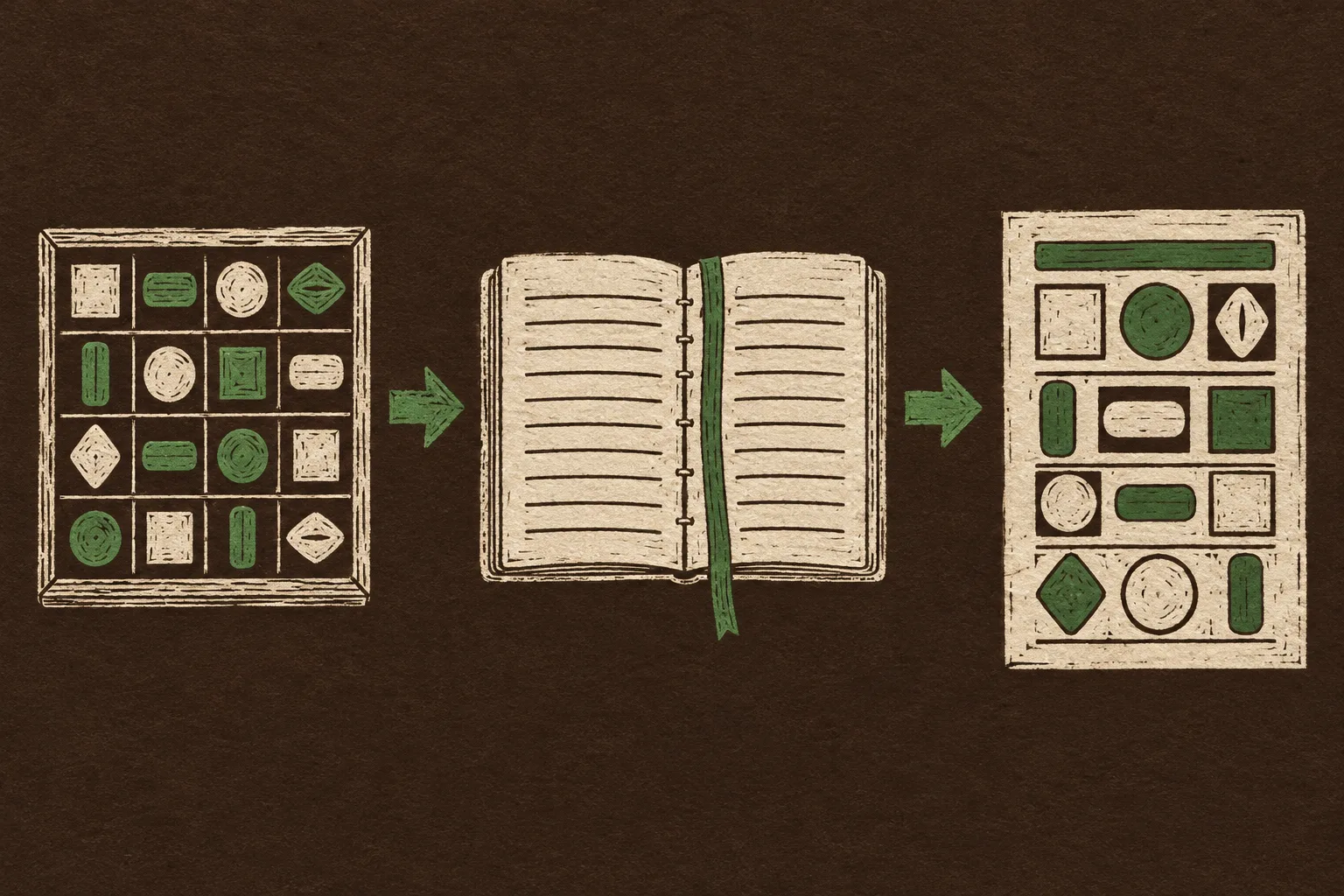
Name a Figma component _example and the agent builds from it
Figma's agent now takes a published library, a written rulebook and pages of finished examples as its brief, then checks the result with a slash command. It keeps to the rules best when it starts from a blank canvas.
1 LibraryApproved components and variables, attached from the prompt box
2 GuidelinesRules, exceptions and mistakes to avoid, written once
3 OutputA design built from both, then audited
Today's Art Direction
The Audit Report
A check-run report page on a dark tobacco ground, every section filed as a check with its own evidence.
The audit report is the page a tool shows after it has looked at your work: a run header with a status, a summary of what it checks, then one finding per row with the evidence underneath. Here it is a landing page for a product that reviews things, from a design system linter to an accessibility scanner.
Each section opens with a rule ID and a filled category label, and its facts sit in an evidence table instead of a sidebar. A run stamp replaces the masthead, and two linocut prints in cream, leaf green and brick do the diagramming.
run stamp
check rows
rule IDs
evidence table
finding rows
halftone corner
linocut diagram
DS-01ToolingFigma blog, Oct 23
The agent reads the library, the rules and the examples
Figma's agent, generally available since early October, now takes a design system as its brief. In an agent chat, Libraries in the prompt box attaches a published library so the agent works from its approved components and variables, and an @-mention points it at one component or token.
Guidelines are a written file attached to that library through Library, Manage guidelines, then Apply changes. Figma's guide by Wayne Lin says they ride along with every prompt that has the library enabled, and that they hold best when the agent designs from scratch. Consistency is weaker when it edits a screen that already exists.
The agent is only as valuable as the information you give it.Figma, on putting a design system to work
Evidence
Attach
Libraries in the agent prompt box; @-mention a component or token
Guidelines
Library, Manage guidelines, upload, Apply changes
Examples
An Examples page, or _example at the end of a component name
Skills
Saved steps, run with a forward slash in any chat
Seats
Full seats on Professional, Organization, Enterprise and some Education plans; limited on Starter
DS-02TechniqueFigma blog, Oct 23
Teach by finished example, then audit with a slash
To make a pattern reusable, publish the complete design as a component on a page called Examples, or end its name with _example. Both are case-sensitive, and for a component set the name goes on the parent set, not one variant. Figma points to its Material 3 Design Kit as a model.
Skills close the loop. You describe the job, list the steps, edit them in a markdown editor, and call the skill with a slash. The guide's two examples are /design-system-audit for detached instances, hardcoded values, misused components and accessibility gaps, and /analyze-components for duplicates and broken library links.
For one-off references
Attach a file with the plus menu, or paste a frame or an image straight into the chat. That covers the client screen you want matched without publishing it to the library.
One detached block under the loupe: the audit's job in a single print.
DS-03WorkflowFigma blog and release notes, Oct 22 to 23
Nineteen versions in about an hour of code layers
Code layers, the coded prototypes on the canvas that went into open beta on October 15, now have field reports. In Figma's roundup of six teams, Cox Automotive's Lindsay Brechler went through 19 versions of a dealer tier prototype with about an hour of hands-on time, and Merkle reports 30 percent faster iteration with up to half the time on interaction specs gone.
The free window is dated. On paid plans, creating and editing in code layers costs nothing through November 4, 2026, then draws AI credits. On October 22 Figma gave Enterprise admins default per-user AI credit access at the organization and billing group level, so check who on a client team holds credits before the window closes.
Evidence
Cox Automotive
19 versions, about an hour at the keyboard, roughly 90 percent time saved
Merkle
30 percent faster iteration; up to 50 percent less documentation time
Checkout.com
Screenshots of a client app fed to the agent to match colour, type and pattern
Free until
November 4, 2026, on paid plans
DS-04Design moveBorrow this pattern
The finding row: severity, rule, place, fix
Any page that reports problems, from a form error summary to a site health dashboard, reads faster when every finding is one row in the same order. A filled severity label first, the rule in plain words, where it happened in small mono, and the fix tucked inside so the list stays scannable. The whole row toggles, and the caret sits at the far end where the eye finishes.
Order
Severity, rule, location, fix. Never lead with the location.
One target
The full row is the summary; no separate icon button to aim for.
Labels
Two or three severities with text, not colour alone.
Native
Build it on details and summary so it works with a keyboard for free.
Example findings
FlagInstance detached from libraryCheckout / Card
Fix: swap back to the library card and reapply the override.
FlagHardcoded hex instead of a tokenHeader / Button
Fix: replace the fill with the brand primary variable.
NoteLabel contrast near the AA floorFooter / Links
Fix: move the link colour one step darker on the scale.
summary{display:grid;grid-template-columns:64px 1fr auto 18px;gap:14px;align-items:center}
details[open] .car{transform:rotate(225deg)}
DS-05Prompt LabCopy into your builder
Build the Audit Report
A prompt for a check-run report landing page, written as a skill file you could save and call by name.
audit-report-page.md/audit-report-page
Build a single landing page for a product that audits things (a design system linter, an accessibility scanner, a site health tool), styled as a check-run report.

Layout:
1. Top nav: wordmark left, three text links right.
2. Report header, two columns (content left, 460px right). Left: a run stamp block (a bordered box with a large run number on the left and three label/value rows on the right: date, read time, status), a mono kicker, a 15ch headline, a two-sentence deck, one filled button and one text link. Right: a bordered diagram plate, one two-colour linocut print showing input, rules and output as three stations joined by arrows, with three numbered HTML caption rows under it.
3. Under the header, a full-width "What it flags" panel: heading and a mono note on the left, then a two-by-two grid of rows, each a filled text label ("Flag") beside a bold check name and one muted line.
4. Body: a 232px sticky rail listing every section as a numbered check, beside a 760px main column. Each section opens with a mono rule ID, a filled category label and a source line, then the h2. Facts go in an "Evidence" table of term/definition rows.
5. A light inverted card for the key pattern: finding rows built on details/summary (severity label, rule, location, caret at the far end; the whole row toggles).
6. Field note, numbered sources, a three-cell prev/index/next nav, colophon.

Palette: ground #261D16 (dark tobacco), panels #31261D, cream text #EFE7D9, muted #BFB19B, leaf green accent #8DBF7A for buttons and pass states, brick #E58263 only for flags. Background: a halftone dot field in cream at 11 to 16 percent, fading out from the top right corner. No gradients on text, no glow, no neon.

Type: Geist 600 for headings and UI, Gelasio for body (19px, line-height 1.7), Geist Mono for IDs, paths and labels.

Guardrails: body text at least 18px with line-height at least 1.6; every label passes WCAG AA on its own background; status is never colour alone; radius 10px on panels and 4px on labels, no pills; one shadow at most; no readable fake text inside images; hover and focus states on every link and summary at about 150ms, with a reduced-motion guard. On mobile the header stacks, the rail becomes a scrolling row and evidence rows stack.
Use it in Beaver Builder AI, Webflow, Framer, Figma Make or Claude Code.
DS-06Field noteClosing
Write the rulebook before the screen
Figma's own caveat is the useful one: guidelines steer new work better than edits. On a client project, that argues for writing the rules and publishing two or three finished examples before the agent touches the first real screen.