Safari 27.2
- Status
- Shipped
- Date
- October 26, 2026
- Notes
- WebKit features post, plus 20 bug fixes
NO. 168Wed 28 Oct 20265 min read
Head to headSafari 27.2 against Chrome 157 beta
Safari 27.2 renames the Grid Lanes tolerance property and styles the picked option of a select without extra markup. Chrome 157 beta answers with one shorthand for corner radius and shape, due in stable on November 3.
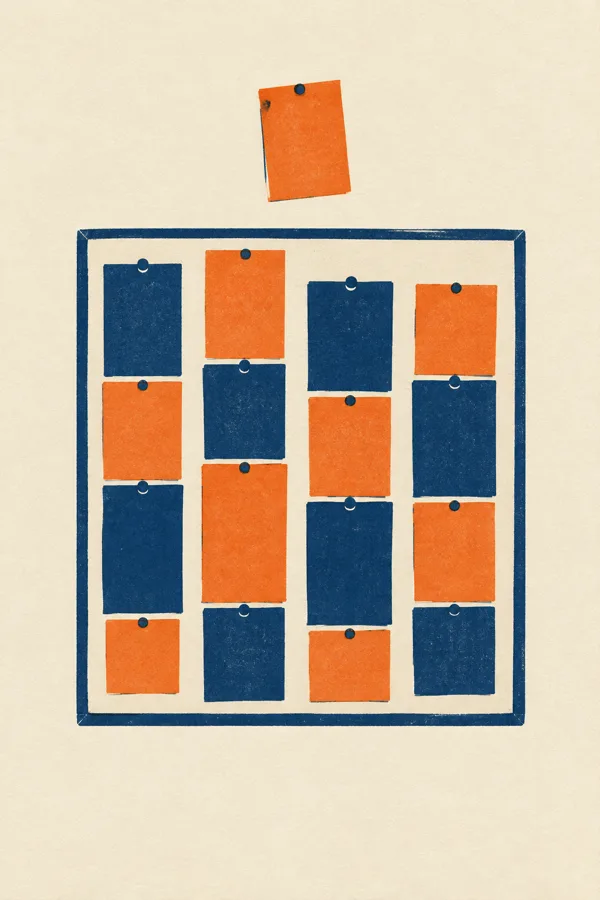
Step 1Two lanes end within a few pixels of each other.

Step 2Inside the tolerance it is a tie, so the first lane wins.
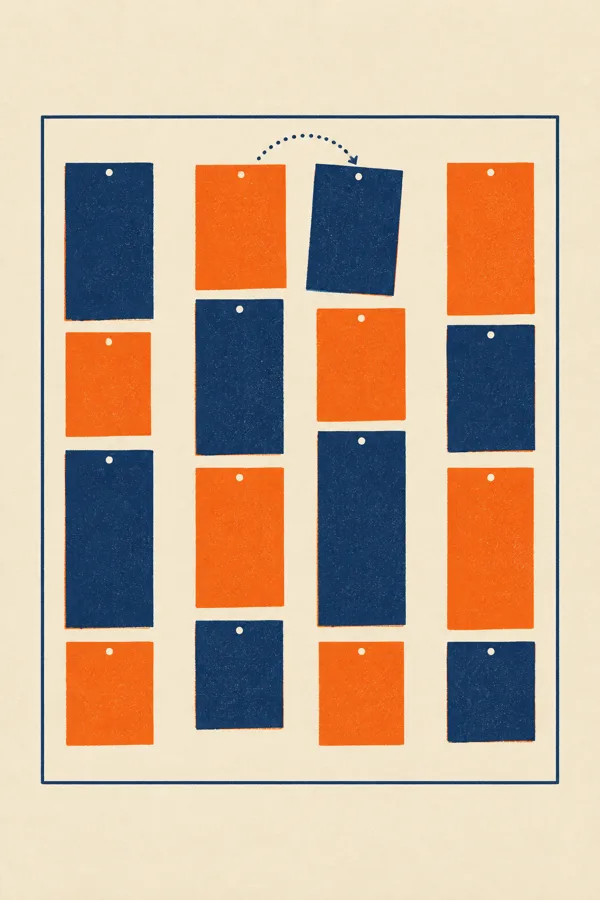
Step 3The next card lands next door, not across the page.
Each row is one class of CSS work. Every cell says what that browser did in plain words, and the ribbon names which entry moved it.
Showing 5 of 5 classes
| Class | Safari 27.2 | Chrome 157 beta | Ribbon |
|---|---|---|---|
| Layout | Grid Lanes renames flow-tolerance to fit-tolerance; the old name stays as a deprecated alias. | Not in this release. | Safari |
| Form controls | ::field-content styles the picked option's text without <selectedcontent>; the picker icon always shows. | Not in this release. | Safari |
| Alignment | safe keeps absolute and fixed boxes inside their containing block, and combines with normal. | Not in this release. | Safari |
| Corners | Not in this release. | corner and per-corner shorthands set radius and corner-shape in one declaration. | Chrome |
| Clipped text | The picked option's text now inherits text-overflow from its select. | text-overflow takes a string, such as "(more)", as the clip marker. | Tie |
A head-to-head comparison page judged like a county fair: gingham, a rubber stamp and rosettes.
The page type is the "X vs Y" comparison a freelancer builds for software, plans or products. The fair-judging treatment gives its parts honest names: each contestant gets an entry tag, each row of the table is a class, and a rosette names the winner of that class or calls a tie. Tangerine gingham sets the ground, and the ribbon blue is kept for verdicts and links.
CSS Grid Lanes, the masonry-style layout that shipped in Safari 26.4, places each new item in the lane whose content ends highest. The CSS Working Group renamed the property that loosens that rule from flow-tolerance to fit-tolerance, and Safari 27.2 ships the new name with the old one kept as a deprecated alias.
Lanes that end within the tolerance count as tied, and the browser takes the first. The default is 1em, so any real difference in card height sends the next item across the page, and keyboard focus jumps with it.
So most of the time, you should increase this number significantly.
Jen Simmons, WebKit
How far to raise it depends on how much your card heights vary. WebKit's Field Guide to Grid Lanes lets you drag the value and watch items settle.
.board {
  display: grid-lanes;
  grid-template-columns: repeat(auto-fill, minmax(14rem, 1fr));
  gap: 1.25rem;
  fit-tolerance: 6rem;  /* was flow-tolerance */
}Customizable Select landed in Safari 27.0, and the version this publication covered in September needed a selectedcontent element to style the chosen value. Safari 27.2 adds the ::field-content pseudo-element, which styles that text directly on a select set to the base-select appearance.
The default styles moved too. The button centres its contents more reliably, the picker icon stays visible because the button now spaces itself with flex, and a tall picker no longer renders partly off screen, because Safari applies safe alignment to keep it in view.
select, ::picker(select) { appearance: base-select; }
select { text-overflow: ellipsis; }  /* the picked text inherits it */
select::field-content { font-weight: 600; letter-spacing: .02em; }The Chrome 157 release notes list a corner shorthand, per-corner versions such as corner-top-left, and edge versions such as corner-top and corner-block-start. Each sets border-radius and corner-shape together, the shaped-corner property an earlier issue walked through.
The same beta lets text-overflow take a string, so a clipped line can end in a word like "(more)" instead of an ellipsis. Test both in beta before stable lands, and keep a plain border-radius above the shorthand so browsers without it still round the box.
.ticket {
  border-radius: 1.5rem;            /* fallback */
  corner-top-right: 1.5rem scoop;   /* radius and shape at once */
}
.teaser {
  white-space: nowrap;
  overflow: hidden;
  text-overflow: " (more)";       /* custom clip marker */
}The scorecard at the top of this page is the pattern. Each row is one class of difference, each cell says what that entry does in a short sentence, and a verdict column names who won the row or calls a tie. A native radio group hides the other entry's rows, so a reader comparing two plans or two tools can read one side at a time.
.scorecard:has(#show-safari:checked)
  tr[data-entry="chrome"],
.scorecard:has(#show-chrome:checked)
  tr[data-entry="safari"] { display: none; }

@media (max-width: 700px) {
  .score td[data-label]::before {
    content: attr(data-label);
    display: block;
  }
}Works in Claude, v0, Lovable, Framer AI and Beaver Builder AI
Build a single-page "X vs Y" comparison landing page for two competing products, styled as a county fair judging sheet. It must work as a real page a client would ship.

Structure, top to bottom:
1. Top nav on the page ground: brand wordmark left, three text links right.
2. Hero, two columns. Left: a round rubber-stamp masthead (128px circle, double navy ring, rotated -9deg) holding the page number, date and read time, beside a short kicker; then a condensed headline (max 14 characters per line, about 80px), a two-sentence deck, a solid navy button and an underlined text link. Right: a cream "exhibit board" card with three portrait images in a row as a step-by-step sequence, each with a "Step N" mono label and one plain caption line in HTML.
3. The scorecard, on a cream sheet: two entry tags (bordered cards with a small round pin, product name in condensed caps, a dt/dd list of status, date, notes), a segmented radio filter (All rows, Product A, Product B) with a live "Showing N of N" count, then a real table. Columns: Class, Product A, Product B, Ribbon. Each cell is a short plain sentence; missing features say "Not in this release" in muted italic, never a blank or a cross. The Ribbon column holds a rosette verdict badge (a CSS concentric circle with a notched tail, ribbon blue for a winner, white with navy for a tie) plus the winner's name or "Tie".
4. A navy art-direction band with the page's name, an italic one-liner, a short glossary paragraph and vocabulary tags.
5. Detail sections as cream cards stacked with 64px gaps so the ground shows between them. Each card has a pinned header tab hanging over its top edge (rosette plus a mono label), a mono meta line, a condensed h2, body text, a dark code block or a dt/dd facts table, and at most one italic pullquote under a 2px blue rule.
6. A design-move card with a 2px navy border, numbered rules and a code snippet; a prompt card with a copy button; sources list; three nav tiles; colophon.

Filtering: native radio inputs and :has() hide the other entry's rows with no script. On screens under 700px the table becomes stacked cards, each cell labelled with its column name from a data-label attribute.

Palette: tangerine #EE8A3C ground with a cream gingham check (two 50% stripe gradients at 20% opacity, 36px tile); cream #FBF3E2 sheets; navy #172452 ink; ribbon blue #1D47C2 kept for verdict badges, links and the pullquote rule; brown #6A5444 for muted labels.
Type: Mohave 500/700 for display and labels in caps (condensed wood-type gothic), Vollkorn 400/600 with italic for reading, Ubuntu Sans Mono 500 for small labels and code.

Guardrails: body text at least 18px with 1.65 line height and 60-75 character lines, never justified; every small label meets WCAG AA on the surface it sits on; no text on the gingham smaller than 18px; images carry no readable text, no logos, no watermarks; no neon, glow, gradient text or purple-blue gradients; radius 12-14px on sheets, 6-10px on controls, pill shapes nowhere; one shadow at most; hover and focus states on every link, button and filter label with 150ms easing and a prefers-reduced-motion guard.
The 1em tie rule and the select's built-in spacing are what a generated stylesheet inherits when nobody writes a value, which makes them the two lines this week most worth setting on purpose.